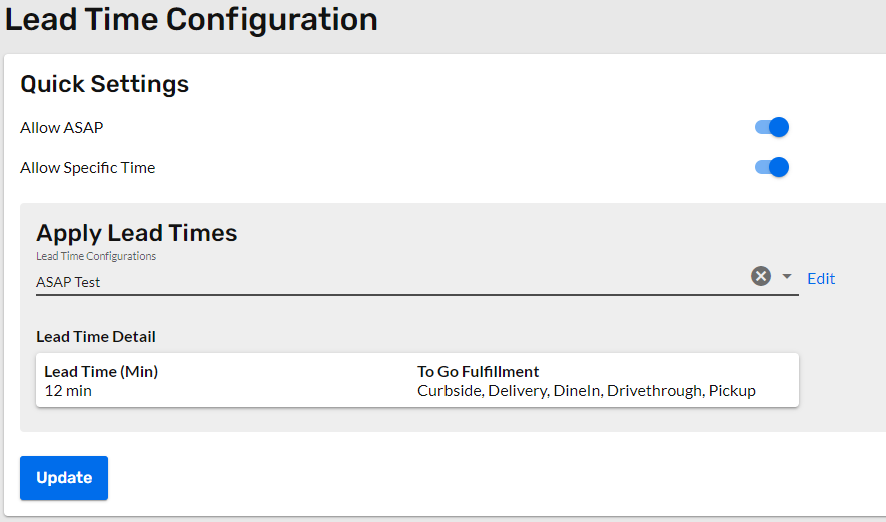
Adding and applying a lead time configuration to a restaurant is simple in the Onosys admin. With the shared configurations feature, all that is required is selecting a lead time from a drop down and applying it to the restaurant. If none of the available lead time configurations are right the restaurant, then a new configuration can be created - this article can help with that.
- Navigate to the Restaurants section of the admin using the left hand navigation.
- Select the restaurant to apply the lead time configuration from the restaurants list. Our sortable columns and filters can assist in finding the location.
- Once the restaurant is open, use the restaurant menu in the left hand navigation to find the "Lead Times" section.
- On this section, the settings for "Allow ASAP" and "Allow Specific Time" are available. Double check that these are set to the preferred designation of the restaurant. ASAP means allowing ASAP ordering, while allow specific time refers to advanced, or time based orders.

- Under "Apply Lead Times" open the drop down and select the lead time configuration that applies to this restaurant.
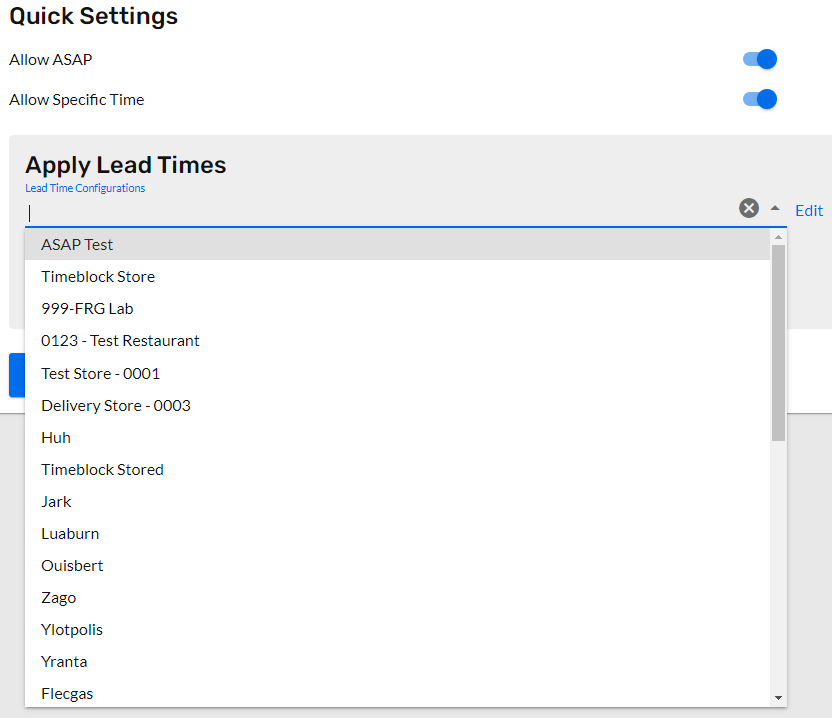
- Click Update, and the lead times are now applied