
Creating a new restaurant is easy to do in the Onosys admin portal. To do so, navigate to the restaurant list and click the "+ Create Restaurant" button on the top right corner, enter in some basic, required information, and be on the way to creating the new restaurant.
- Login to the admin
- Navigate to "Restaurants" in the left hand margin and open the section.
- After opening the restaurant list, click the blue '+ Create Restaurant' button on the top right.
- Input the following criteria (Example provided below):
a. Restaurant Name
b. Restaurant Number
c. Restaurant Address
d. Restaurant City
e. Restaurant State
f. Zip Code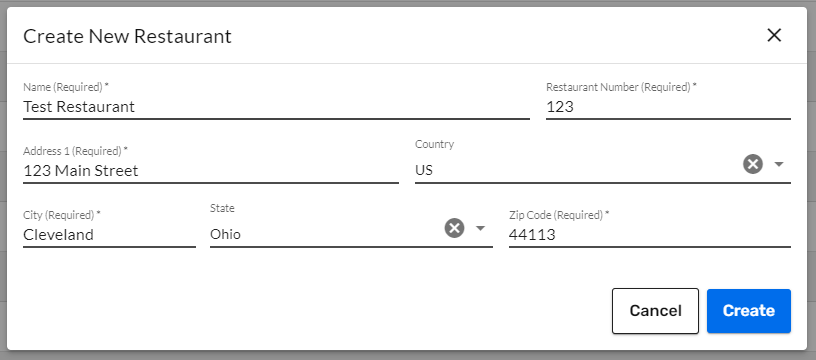
- Click Create
Note: The restaurant is not ready to take orders after this step. There is more information and settings to create! Filter for the new restaurant to view and complete the rest of the restaurant settings.