
There may be certain days or times where ordering should be disabled entirely. These changes can be made on the Temporary Overrides page of the Restaurant settings.
Onosys Admin - Manage Temporary Overrides.mp4
To set a taking orders override:
- Ensure that a restaurant is actively selected.
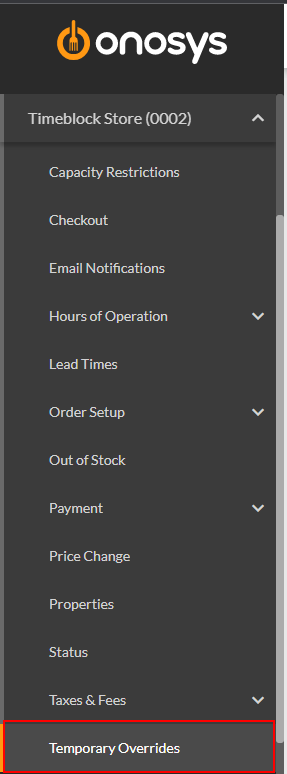
- In the navigation pane, expand the restaurant's node by clicking the name of the restaurant.
- Click Temporary Overrides. The temporary overrides page will populate to the right of the navigation pane.
- In the Taking Orders Override section, click the Taking Orders dropdown.
To disable ordering, click No
To enable ordering, click Yes
To remove an existing override, click No Override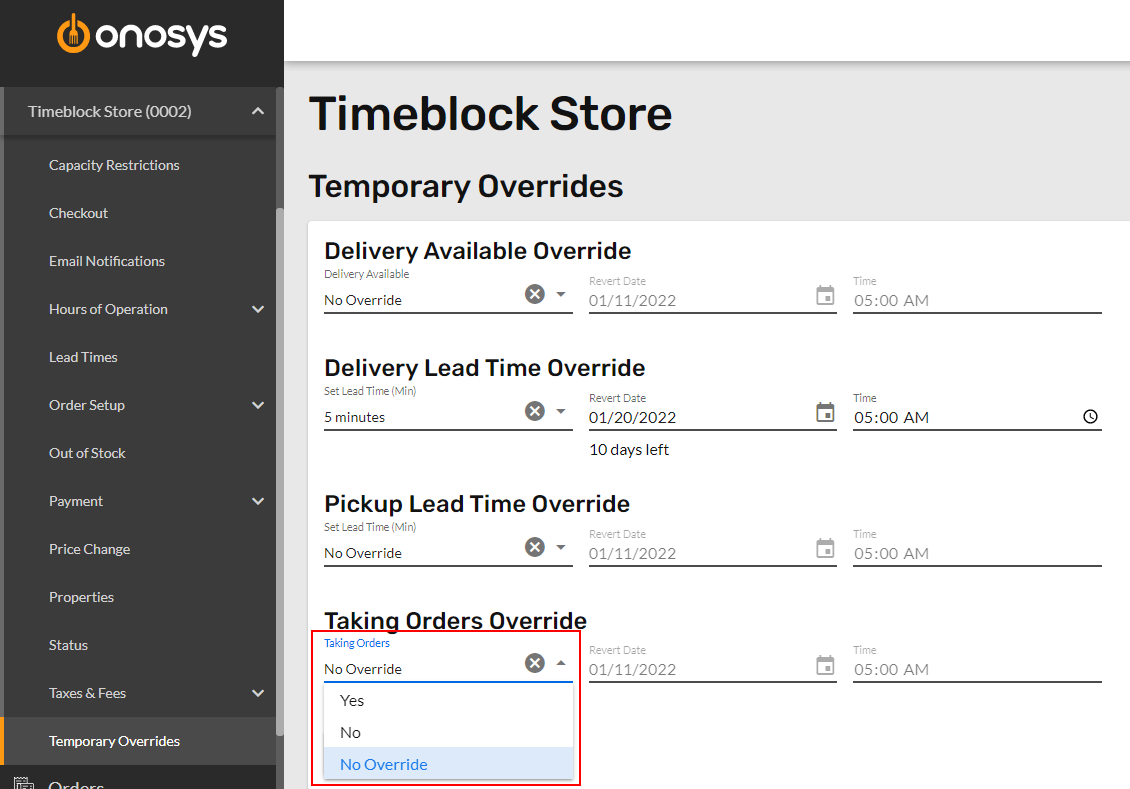
- Click the Revert Date calendar, or enter a revert date. This is the day the override will expire and no longer be in effect.
- Click the Time field and enter a time that the override should expire.
- When finished making changes, click Update.