
There may be a preferred fulfillment type for a restaurant, or one that is popular among storefront customers. If this is the case, a default type can be designated in the Fulfillment section of Order Setup.
To designate a default fulfillment type:
- Ensure that a store is actively selected.
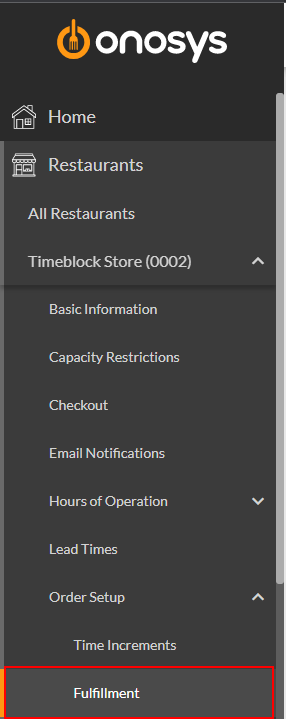
- In the navigation pane, click the store's name to expand the store node.
- Click Order Setup.
- Click Fulfillment. The Fulfillment page will populate to the right of the navigation pane.
- Select the Default Fulfillment Type dropdown for either To Go or Catering based on the menu the change should apply to.
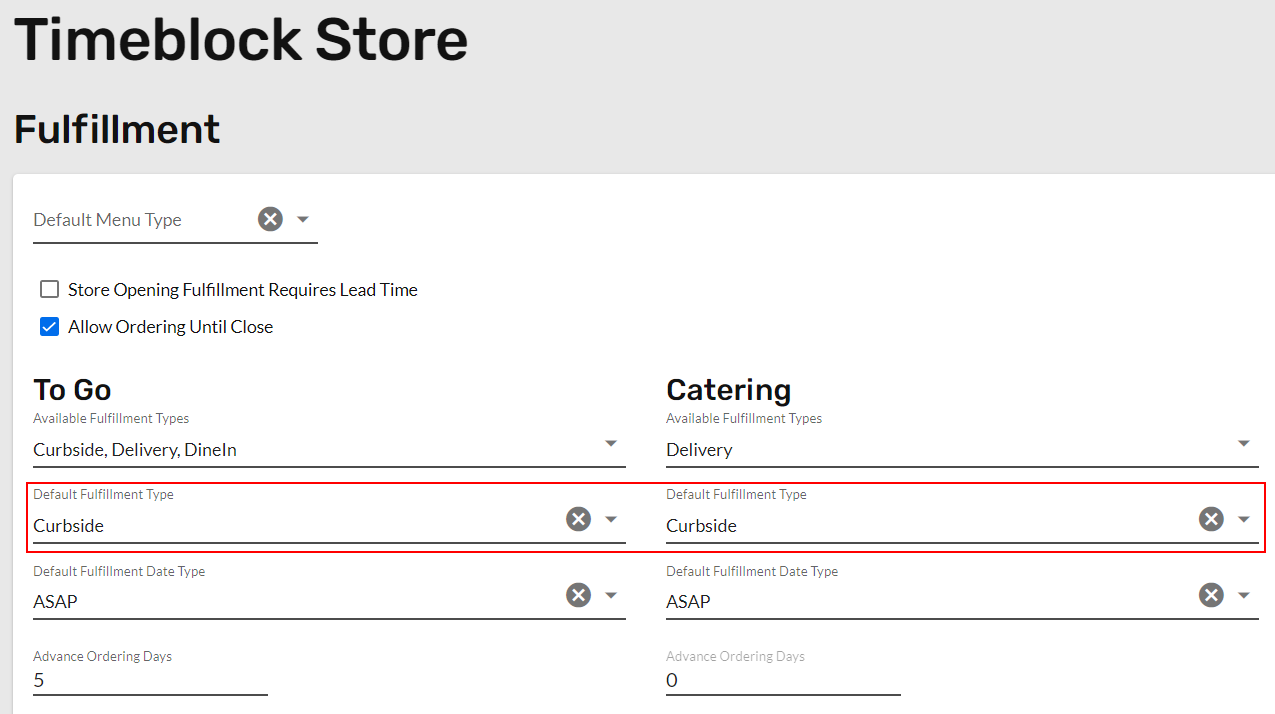
- Select the preferred method from the dropdown.
- Click Update. A message box will appear that says 'Fulfillment Saved Successfully'.