
There may be certain specific days, or times of specific days (such as holidays), where an operator wishes to close business or limit fulfillment types. In cases such as this, admin users can create a restaurant closing entry.
- A restaurant must have already been found and selected.
- On the navigation pane, expand the node for the restaurant by clicking the restaurant name.
- Click Hours of Operation.
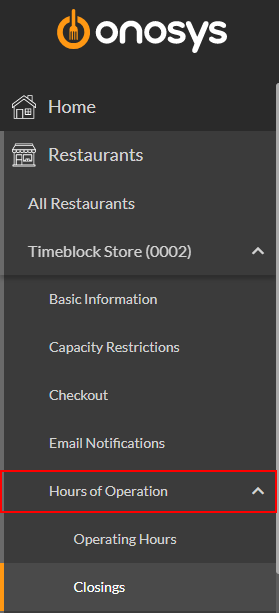
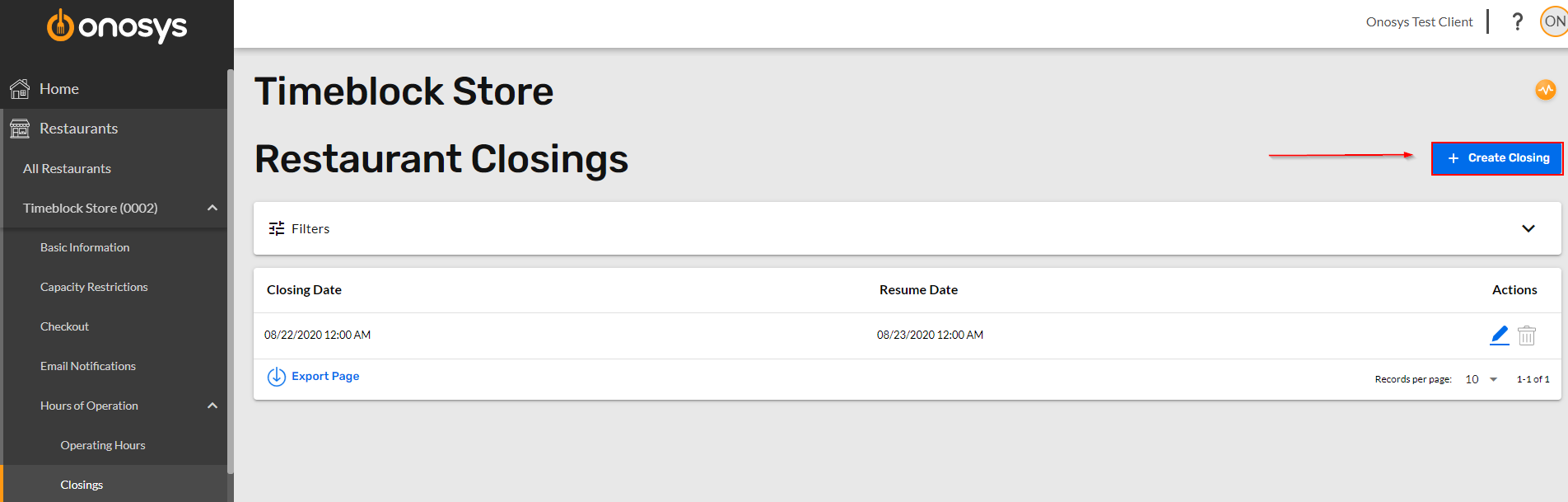
- Click Closings. The Restaurant Closings page will populate on the right of the navigation pane.
- To Add a new closing, click the +Create Closing button.
The closing form populates: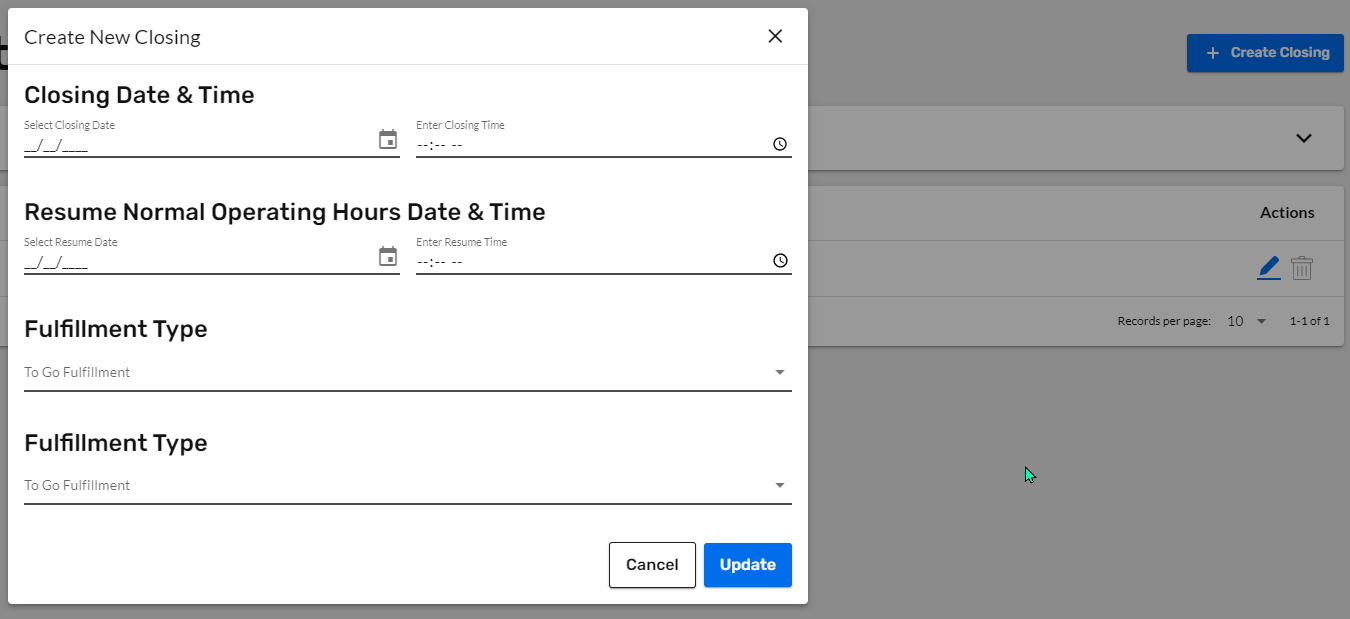
- Enter or select a closing date in the field.
- Enter a closing time.
- Enter or select a date to resume normal hours in the field.
- Enter a resume time.
- Select an affected fulfillment type for the To Go menu, or select all.
- Select an affected fulfillment type for the Catering menu, or select all.
- When finished, click Update.
- The user is returned to the closings page, and the newly created closing entry is displayed.