
Filters allow customization of admin list pages to display data specific to a user's needs.
All list pages in the Onosys admin have filters to narrow down collection of data. They can be specific enough to find a single order on the orders page, or wide enough to show all restaurants that are currently online in Ohio. Filters can be built upon themselves to have multiple criteria applied to the selection and can even be saved as a bookmark in a favorite browser.

Overview
The filters in the Onosys admin narrow down lists using if/then statements that contain three sections: Filter, Operator and Value. Below we will break these down in detail to show their granular detail.
Filter
A Filter is the criteria used to segment the results. The filters differ by page, for example the Orders page has filters that include (but are not limited to): "Order Number," "Customer Name," "Date Placed." While the Restaurants page has "Name," "State," "Online," and more as options.
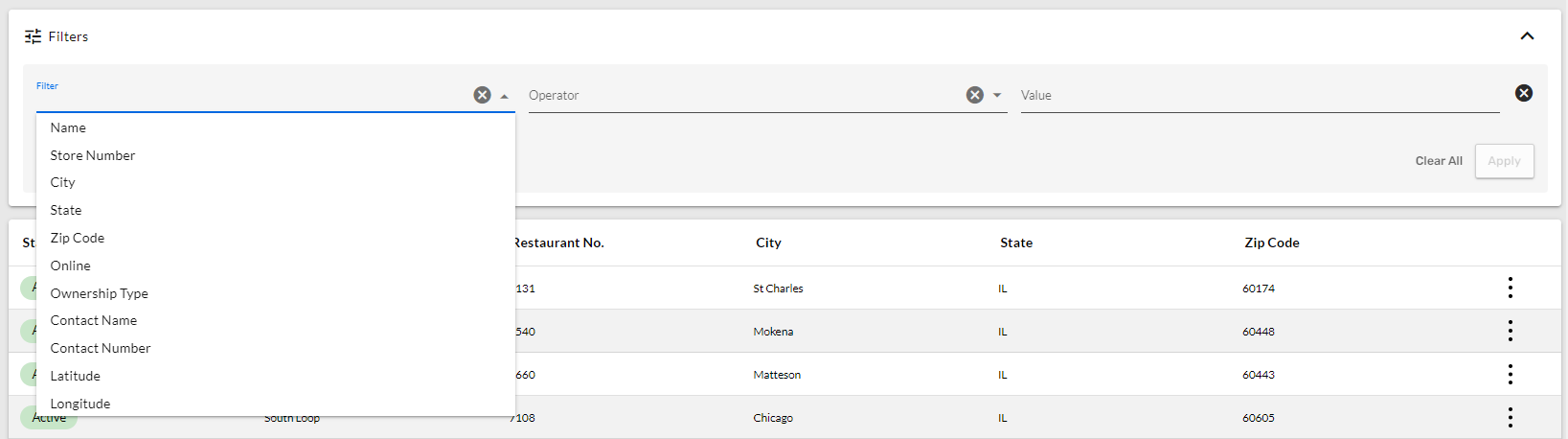
Filters drop down on the Restaurants -> All Restaurants list page.
Operator
An Operator is the instruction placed on the filter. This details the parameters that are used for the filter selection. Common Operators are below, and may change based on the filter:
- Contains
- Does Not Contain
- Starts With
- = (Equals)
- != (Not Equals)

Operator drop down on the Restaurants -> All Restaurants list page.
Value
The Value is the item you are filtering on. This input is typically typed in by the user.
For example, All orders placed that are $25 or more
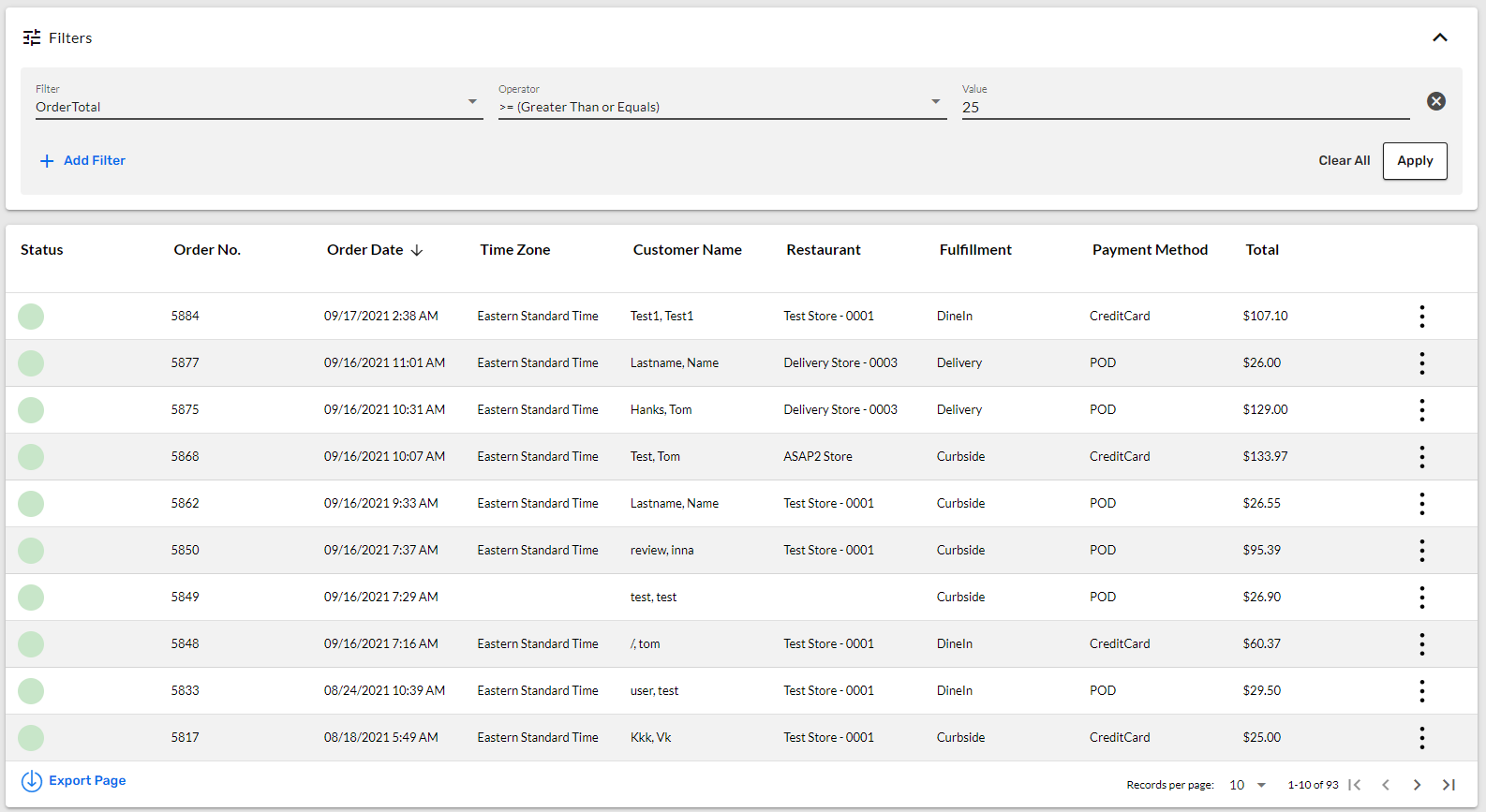 Filter criteria of Order Total >= (Greater Than or Equals) 25 drop down on the Orders list page.
Multiple Filters
The admin allows more than one filter to be added to a selection. This allows users to build upon their criteria to narrow down the selection to their needs.
For example: All orders $25 or more that are delivery orders
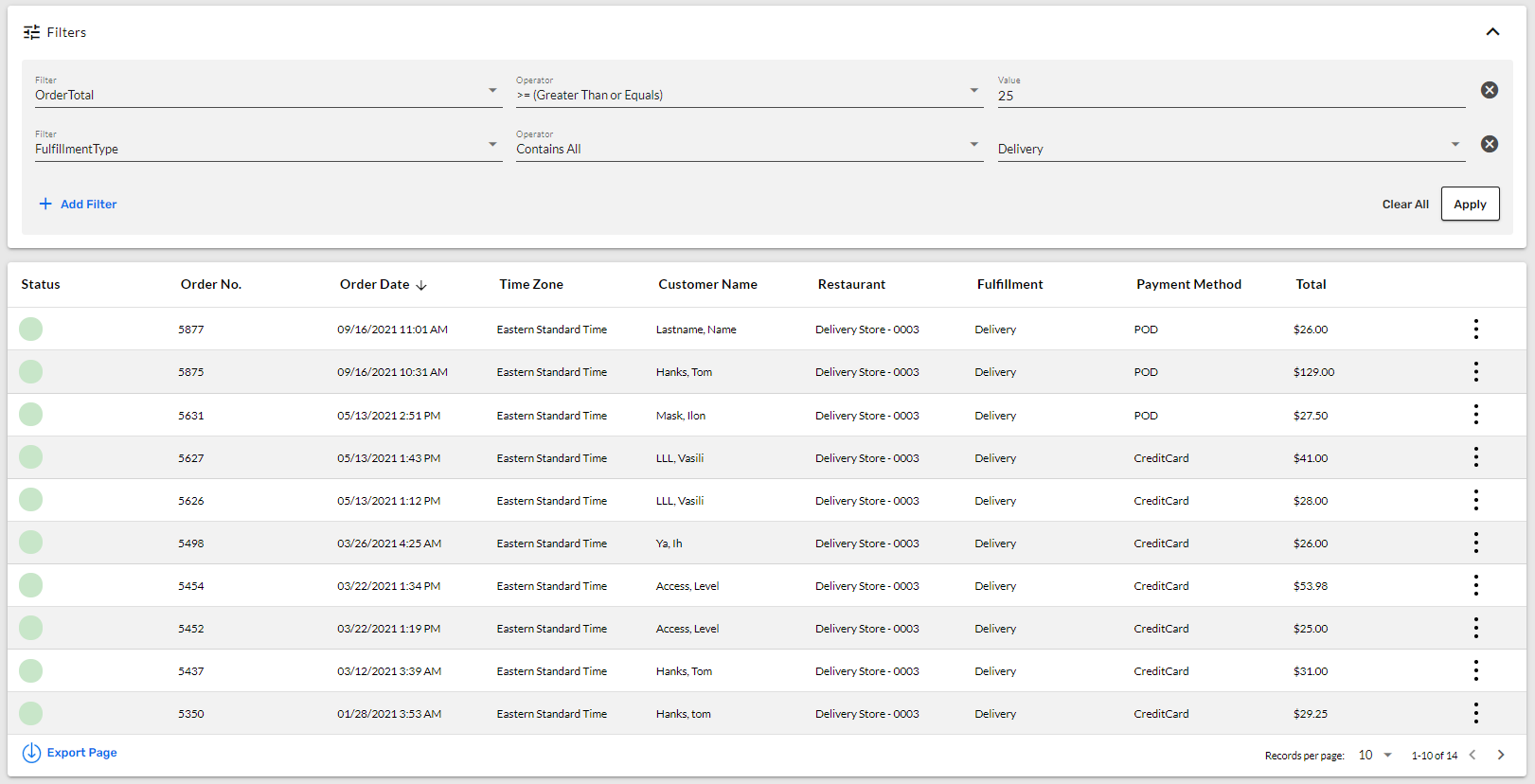
Orders list page filter criteria of Order Total >= (Greater Than or Equals) 25 and Fulfillment Type Contains Delivery.
Filters aren't limited to 2 per selection, as you can build and add more to find the exact results.
For example: All delivery orders $25 or more, placed after 9/1/2021
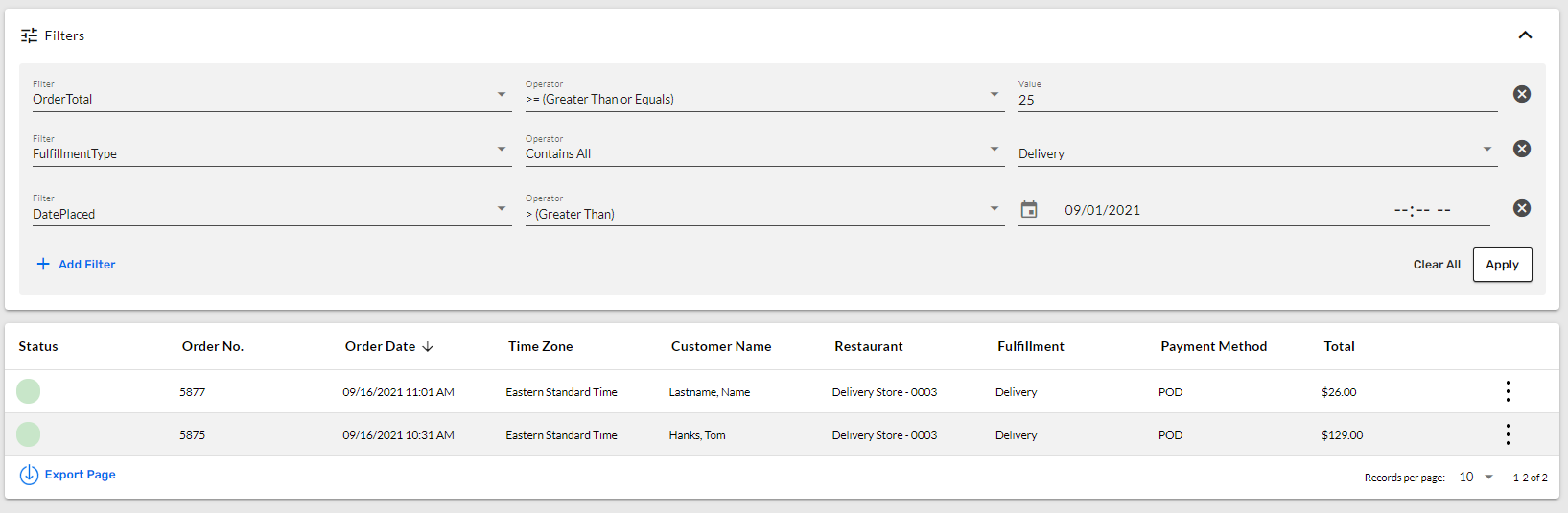 Orders list page filter criteria of Order Total >= (Greater Than or Equals) 25 and Fulfillment Type Contains Delivery and Date Placed > (Greater Than) 9/1/2021.
Bookmark Filtered Lists
Lists with filters applied have unique URLs that are able to copy and paste to send to another admin user. More importantly these can also be bookmarked in the browser, allowing the site to open directly to the filtered list. This allows users to save their favorite filters that they use most often.
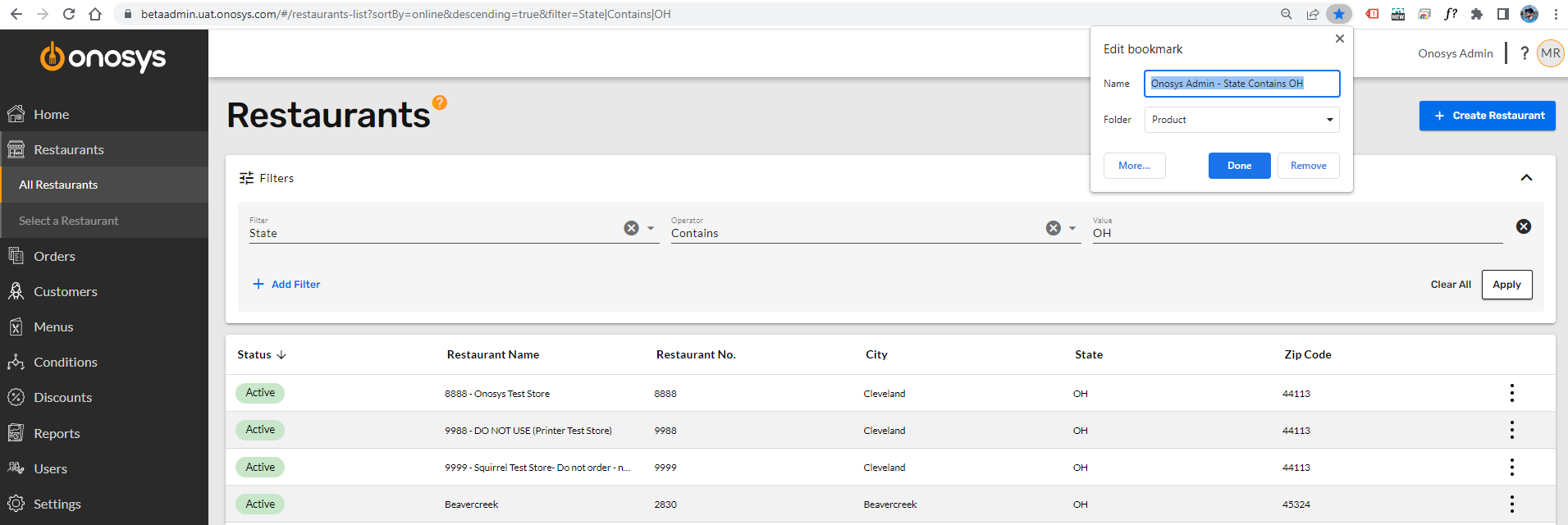 Restaurant -> All Restaurants list filtered by State Contains "OH" saved as a bookmark.
Conclusion
Filters are the powerful tool to customize lists to your choosing. Filters can be built upon each other to further narrow down selections and can even be bookmarked in your browser. More specific examples are located in the Restaurants, Orders, Customers and Activity Log filter pages.