
The New Onosys Admin
Introducing the new admin portal for Onosys users: Built on its own Admin API, the new admin portal is more powerful and boasts a vastly improved user experience that is easier to navigate and supports desktop, tablet, and mobile devices from the ground up.
Left Hand Navigation
The first thing that stands out in the admin is the layout: The left hand navigation draws the eye, appearing on a dark column with easy to find icons and sections allowing users to navigate the admin with confidence.
 When a section is open, as seen with Restaurants in the video above, the content displays in the workspace area on the right to give room to filter and navigate lists, fill out settings and create new online ordering configurations. Associated sub-menus display under the main navigation, using a light gray highlight to indicate the open section.
Configurable Lists and Tables
Lists are available across various pages of the admin in the form of tables. The tables provide valuable information such as status indicators (orders and restaurant lists), as well as at-a-glance data. Each column can be sorted in ascending or descending order by clicking the column header.
All lists have a wide selection of filters to narrow down selections according to a user's preference. Notice above, the Orders list is filtered by "First Name Contains Matt." The Order Date column is sorted to be descending order, with the most recent order displayed at the top. This user was able to configure the list to show the exact items they need.
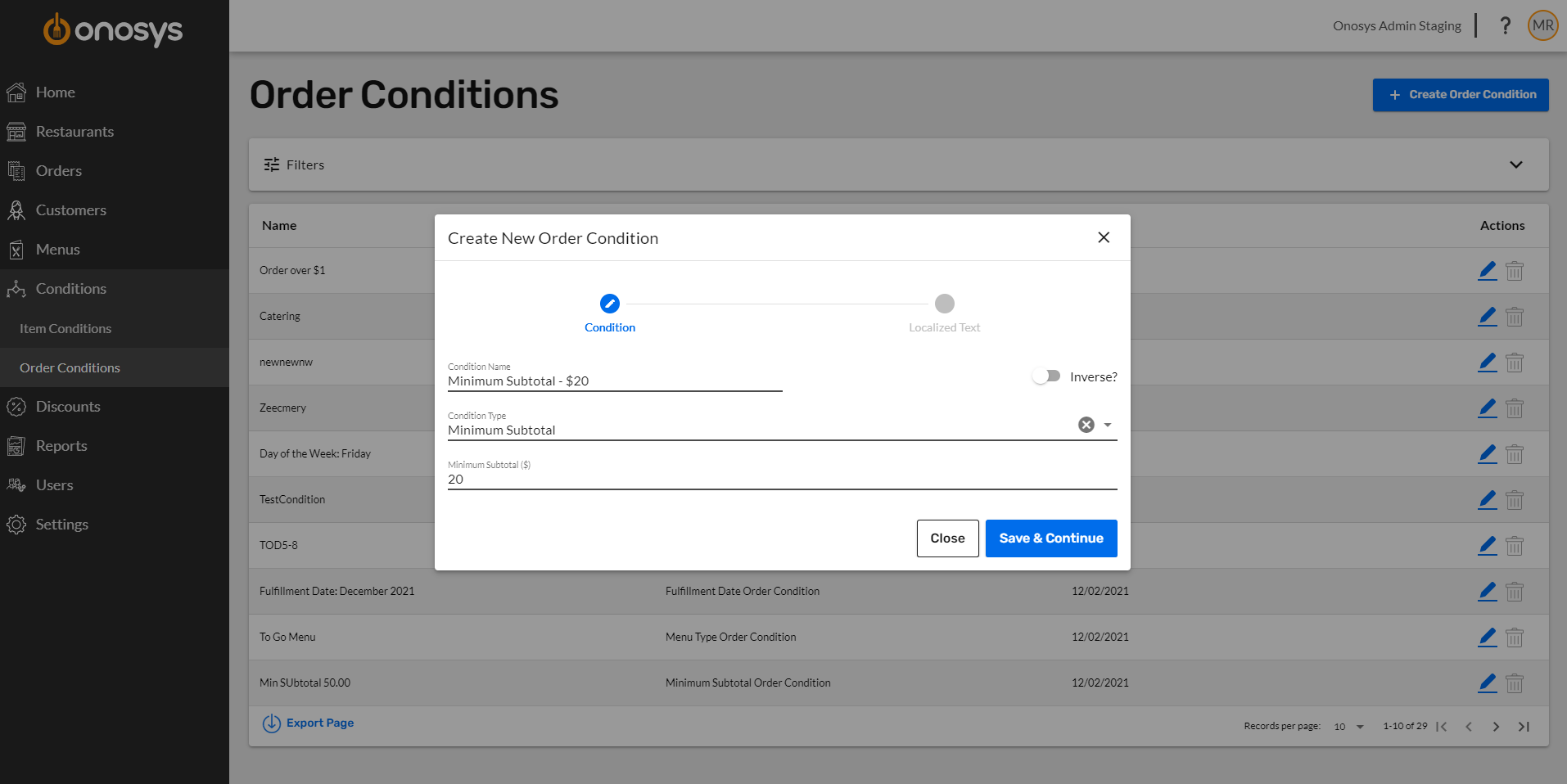
Wizard Configuration
The new wizard interface steps users through the process of creating new configurations. This allows a much simpler interface allowing users to create with confidence.
Powerful Reports
Reporting has been completely revamped to provide actionable insights into restaurant data. Users can perform trend analysis and dissect data with comprehensive drill down capabilities.
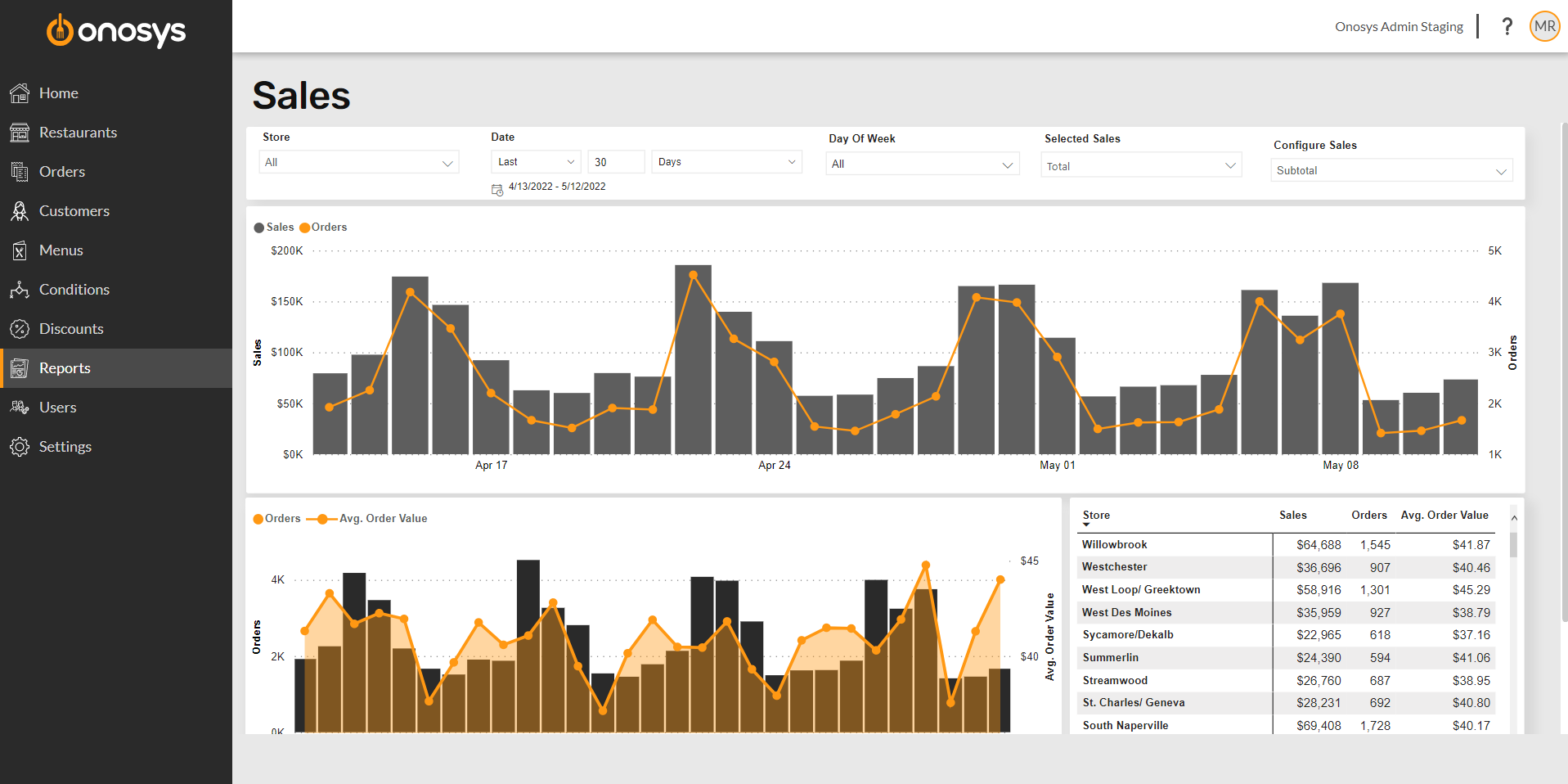
Use the drop-down selections to configure reports to match any need. The improved user interface showcases data trends using interactive graphs and tables. Click on any bar or in the table to see the rest of the visualizations focus on that section. One of the best features is the export option allowing the user to quickly download data to a .csv file.
Responsive Design
The new admin site supports different screen sizes and devices, allowing on-the-go use of the admin portal to view order details, update lead times, and more.
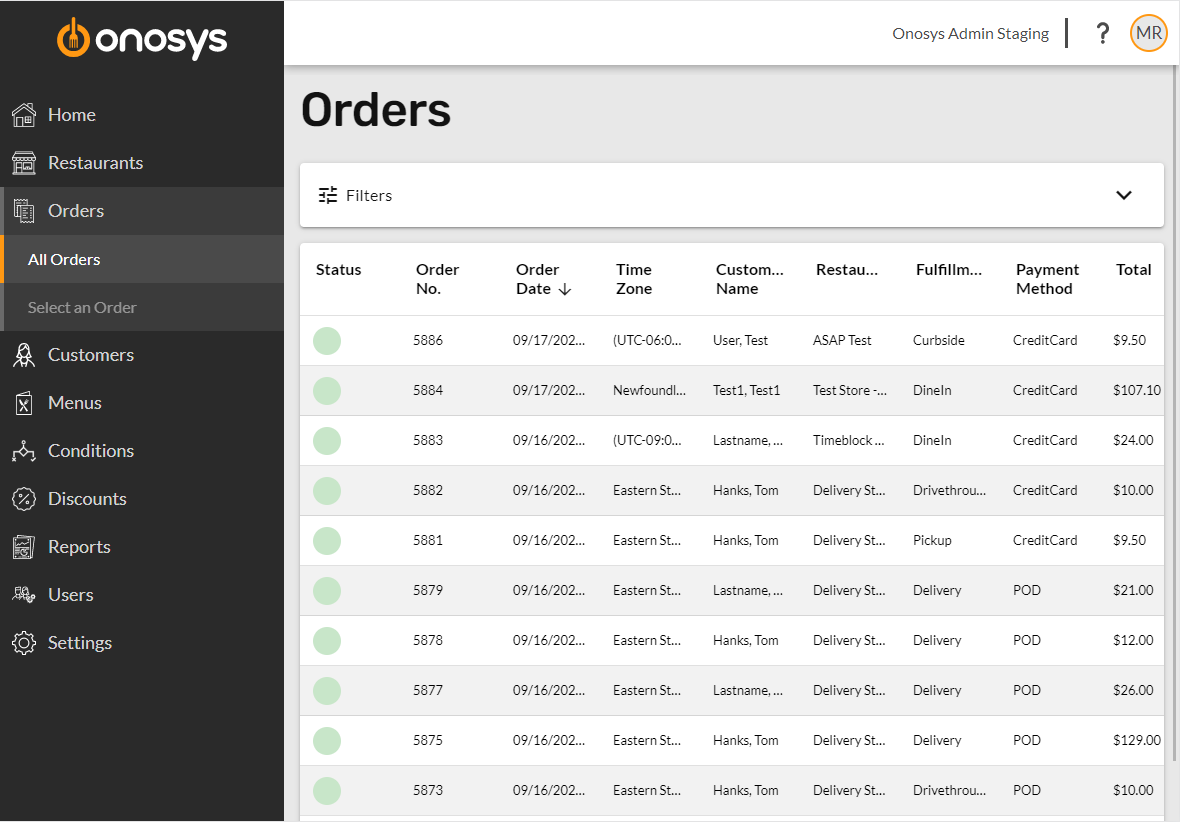
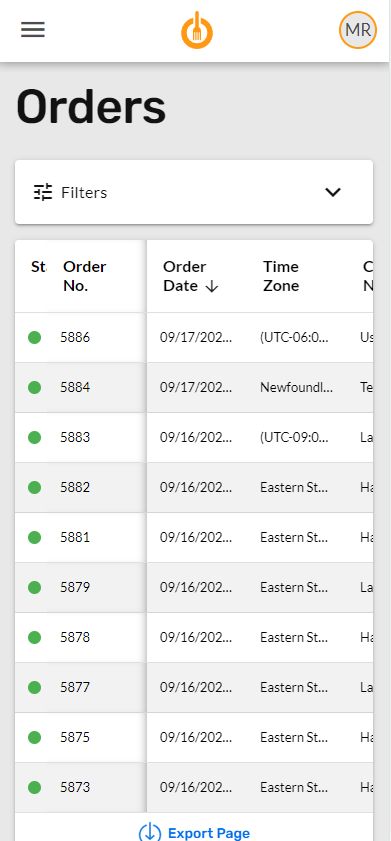
Above are the tablet and mobile views of the Orders page. On tablet, the left hand navigation allows for the easy to navigate interface with ample workspace to the right. Mobile screens collapse the navigation under a drawer to allow more space in the work area. Opening the drawer displays the familiar column to navigate to a new page. Both screens use horizontal scrolling to display the same information the user sees on desktop. Filters remain and are responsive to be used across devices to quickly pare down lists. The wizard configuration and form inputs are formatted accordingly to complete any action across device or screen size.
Bulk Editing (Shared Configurations)
Gone are the days of configuring the same set of hours or lead times, taxes or fees, over and over again for each restaurant location. The admin portal uses what we call "shared configurations" that allow bulk editing across several restaurants. These include settings that are typically the same across a group of restaurants: hours of operation, lead times, taxes and fees.
How it works: The configuration is created under the brand's settings using the create new wizard. A step in the process allows it to be applied to any number of restaurants.
Examples:
It's summertime and locations are open an hour later: Simply go into the shared configuration and update to the new hours. All locations with that configuration are then updated immediately.
A new location is opening that has the same tax district as another store: Under the new restaurant's tax settings, use the dropdown menu to apply the shared tax configuration. No additional setup required.
User Role Permissions
User permissions have been redesigned into Roles. These permission level groupings are meant to be created for the different roles or jobs of a user. Each permission level is granular, allowing access to edit, create, delete or view access for each individual admin page.
Similar to shared configurations, each role is created once and assigned across multiple users. Adding or removing certain permissions for a role will immediately be reflected across all users that have the role. Multiple roles can also be assigned to a single user, which will combine the access levels of the role(s) assigned.
Combined Interfaces
We have combined the express admin interface into the new admin site by adding the functionality to restaurant settings. Temporary Overrides and Out of Stock tool are available in one easy to use admin site.
Dedicated Admin API
The admin was built from scratch on an all-new underlying codebase that is more powerful and scalable, allowing us to add new features and enhancements. This is the foundation of the future at Onosys.
Built-In Help System
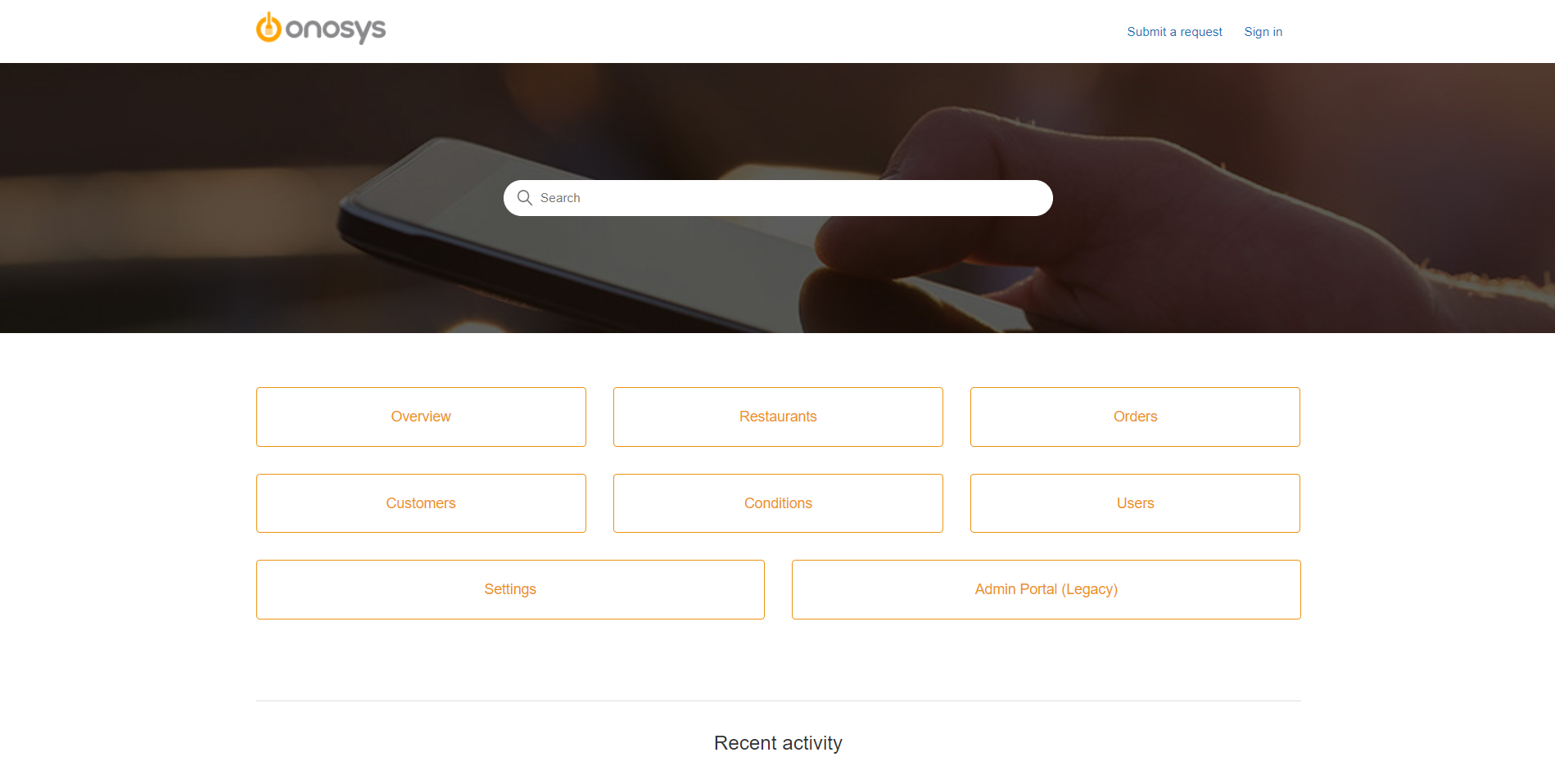
Stuck on a page and not know what to do? Click the question mark in the header! This brings users to the Onosys Knowledge Base containing directions for any item in the admin. Featuring a search bar and organized by area of the admin, it is easy to find a how-to article. There will be new feature articles posted routinely, so make sure to follow our new feature channel to be updated via email.
Other Updates
There are other updates to the codebase as part of the admin portal update. This includes upgrading our Google Analytics from Universal Analytics (UA) to GA4, Google's newest implementation of their powerful analytics. This may affect your analytics implementation if you are currently using Onosys' UA events via your own Google Analytics accounts. It is advised to update to GA4 to take advantage of the Google's latest analytics.
What's Next
The new Onosys Admin is currently going through a round of user testing before we start rolling it out to our clients. Prior to launching, clients will have the opportunity to try the new Admin portal in a test environment.
We are excited to launch the next generation of our back-office tools. Please reach out to your Client Success Manager if you have any questions.