
If needed, users are able to modify the email that order confirmation emails are coming from. This setting is under the Brand Information in Settings.
To apply a different order email address:
- Using the navigation pane, click Settings.

- Click Brand Information. The Brand Information pane will populate to the right.

- In the Brand Information pane, click the Order Email field.
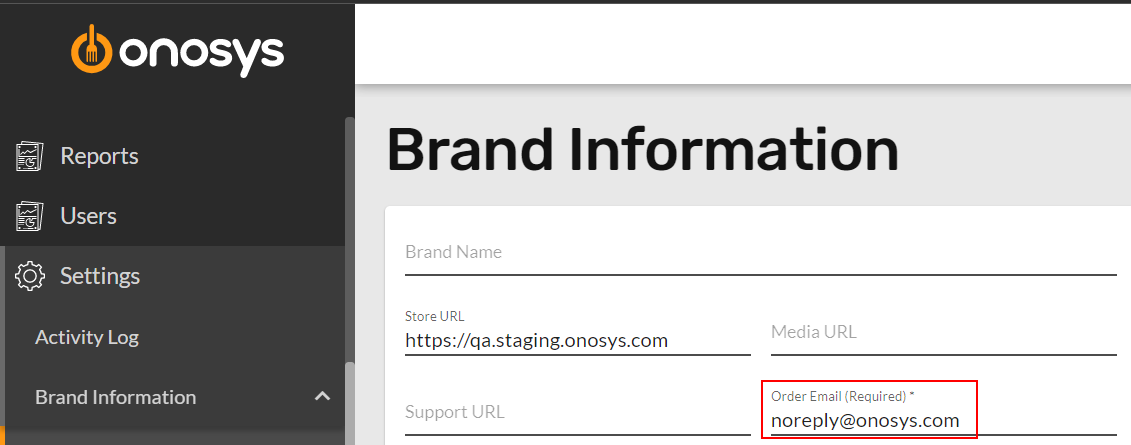
- Enter the new address.
- Click Update.
